Upto 51% OFF & FREE UK-MAINLAND DELIVERY ON ALL ORDERS
How to Use a Laser Level for Tiling — Complete Guide
Tiling is one of those jobs where accuracy from the start makes all the difference. A single degree of error on the first row becomes a visible problem by the time you reach the top of the wall. A laser level eliminates guesswork entirely — giving you a perfect reference line that wraps around the entire room so every tile lines up perfectly.
Why Use a Laser Level for Tiling?
Traditional spirit levels require constant repositioning and checking. A laser level projects a continuous reference line around the entire room simultaneously — meaning you can set your datum once and tile all four walls to the same level without ever picking up a spirit level again.
For floor tiling, a 360° laser projects lines across the entire floor area, helping you find the true centre of the room and plan your tile layout to avoid awkward cuts at the edges.
Which Laser Level Do You Need for Tiling?
For tiling you need a self-levelling cross line laser that projects both horizontal and vertical lines simultaneously. A basic cross line laser is adequate for small rooms — but for professional results across an entire room, a 360° full coverage laser is the professional choice.
The TEH TEHLI TM1212 Green 360° Laser and TM1112 Red 360° Laser both project full 360° horizontal and vertical lines — wrapping around all four walls simultaneously. This is exactly what professional tilers use for setting out large rooms efficiently.
Green vs Red for tiling: Green laser lines are up to 4x more visible than red — particularly useful in brightly lit rooms or when working across long distances. The TM1212 green laser is the preferred choice for professional tilers.
Step-by-Step: Using a Laser Level for Wall Tiling
Step 1 — Find your datum height Decide where your first full row of tiles will sit. Most tilers start one tile height above the floor to avoid cutting tiles to fit uneven floor surfaces. Mark this height on the wall.
Step 2 — Set up the laser Place your laser level on the tripod (included with TEH TM1212/TM1112 kits) at approximately the height of your datum mark. Switch on the horizontal line (H button).
Step 3 — Adjust to datum height Use the tripod height adjustment to align the horizontal laser line with your datum mark. Once set, the self-levelling function keeps the line perfectly level even if the tripod is on a slightly uneven floor.
Step 4 — Mark the datum line The horizontal laser line now wraps around all four walls at exactly the same height. Use this as your guide for setting the first row of tiles — the most important row in the entire job.
Step 5 — Add vertical reference lines Switch on V1 and V2 to project vertical lines. Use these to find the centre of each wall and plan your tile layout so cuts are equal on both sides — the mark of a professional finish.
Step 6 — Set out your floor grid For floor tiling, project both horizontal and vertical lines across the floor to find the true centre of the room. Use this intersection point as your starting point for laying floor tiles.
Pro Tiling Tips:
- Always start from the centre of the room and work outwards — never from a corner
- Plan your layout so the cut tiles at the edges are equal on both sides
- Use the pulse mode on the TM1212/TM1112 for larger rooms or when using a laser receiver
- Check your datum line against a spirit level before starting — self-levelling is accurate but always worth verifying on critical jobs
- The remote control on the TM1212/TM1112 lets you switch line modes without touching the unit — saving time when the laser is positioned up high
What's Included in the TEH Laser Level Kit:
Both the TM1212 (green) and TM1112 (red) come as complete kits including:
- Laser level unit
- Tripod
- Hard carry case
- Remote control
- Magnetic bracket
- Wall mount bracket
- Fixing pins
- Rechargeable battery and charger
Everything you need to start tiling professionally straight out of the box.
Browse our full laser level range at tehtools.co.uk
On Sale
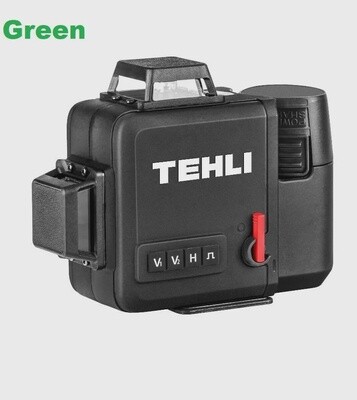
TEH 360° Green Cross Line Self-Levelling Laser | 3D Full Coverage | Remote Control | Hard Case & Tripod Kit Included
TEH 360° Green Cross Line Self-Levelling Laser | 3D Full Coverage | Remote Control | Hard Case & Tripod Kit Included
3D 360° Green Laser | V1 V2 H & Pulse Modes | Self-Levelling | Remote Control | Rechargeable | Hard Carry Case & Tripod Kit Included | 1 Year Warranty
SKU TM1212
was £129.17
Save 30%
£90.83
On Sale
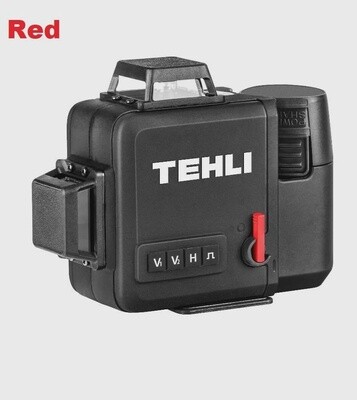
TEH 360° Red Cross Line Self-Levelling Laser | 3D Full Coverage | Remote Control | Hard Case & Tripod Kit Included
TEH 360° Red Cross Line Self-Levelling Laser | 3D Full Coverage | Remote Control | Hard Case & Tripod Kit Included
3D 360° Red Laser | V1 V2 H & Pulse Modes | Self-Levelling | Remote Control | Rechargeable | Hard Carry Case & Tripod Kit Included | 1 Year Warranty
SKU TM1112
was £129.17
Save 36%
£82.50
Display prices in:GBP